
Why Are Businesses Losing Money Due to Payment Reconciliation Errors? How ERP Automation Solves the Problem
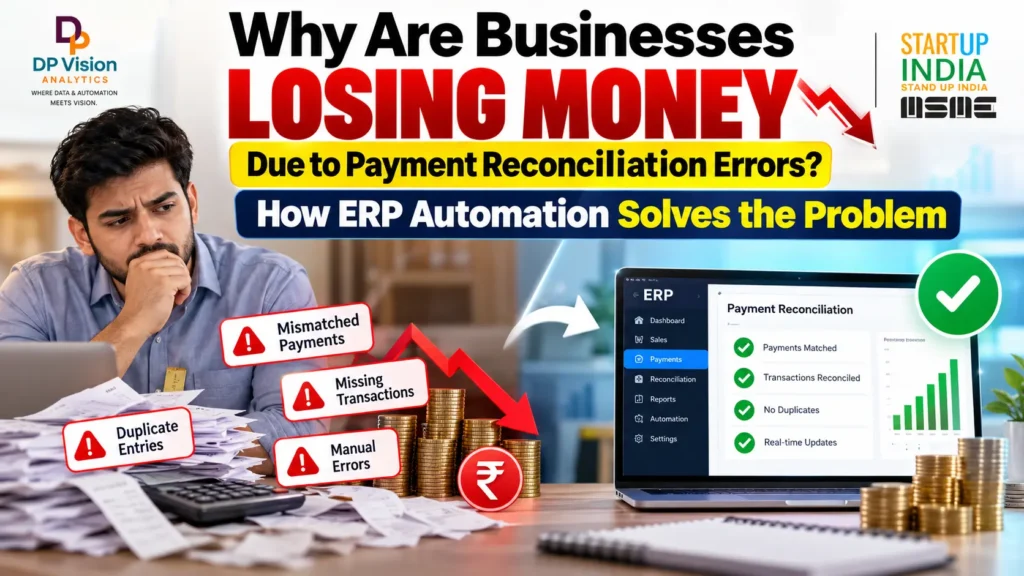
It is the 30th of the month. Your finance manager has been staring at two screens since morning. The bank statement shows one number. Tally shows another. The gap is Rs. 4.8 lakh.
Did a customer pay twice? Was a UPI credit booked against the wrong invoice? Did a cheque never clear? Nobody knows yet, and the books must close tonight.
This is what payment reconciliation errors look like in a real Indian business. They are rarely dramatic. They are small, repeated and expensive. The pattern is common across factories, textile units, trading firms and startups. This guide from DP Vision Analytics explains what these errors really cost and how ERP automation fixes them.
What Is Payment Reconciliation and Why Does It Go Wrong?
Payment reconciliation means matching three things: what your bank received or paid, what your books say, and what your invoices say. When all three agree, you know your real cash position.
In most small businesses, this matching is done by hand. Someone downloads the bank statement, opens Excel or Tally, and ticks off entries one by one. Add UPI, NEFT, RTGS, cheques, gateway settlements and GST invoices, and the financial reconciliation process grows very fast.
That is where payment reconciliation errors creep in. Not because your team is careless. Because the process asks people to do what software does better.
The Real Cost of Payment Reconciliation Errors
Start with the national picture. India’s Economic Survey (2026) said about Rs. 8.1 trillion is stuck in delayed payments to MSMEs. A GAME, FISME and C2FO India report (2025) put delayed receivables at Rs. 7.34 lakh crore in March 2024, down from a peak of Rs. 10.7 lakh crore in 2022.
The numbers get personal quickly. The Recordent Indian SME Receivables Report (2026) found that the average SME takes 73 days to settle invoices. It also found an average of Rs. 3.83 crore in receivables pending for over 360 days.
The MSMED Act says buyers must pay micro and small suppliers within 45 days. Still, the Ministry of MSME reported 2,56,892 delayed-payment cases worth Rs. 55,244 crore on the Samadhaan portal till December 2025.
Now look inside the finance office. APQC benchmarks show a median monthly close of 6.4 days, and the slowest quarter of companies take 10 days or more. Ardent Partners (2025) puts the average manual invoice cost at $12.88, against $2.78 for best-in-class teams. IOFM data, as cited in industry reports, says fixing one invoice error costs about $53.
How often do errors happen? Estimates swing from 1.6% per invoice (Sterling Commerce, an older study) to nearly 20% of manually processed invoices (Aberdeen Group). The gap depends on how each study counts an error. Either way, payment reconciliation errors are not rare.
| What is measured | Figure | Source and year |
|---|---|---|
| Delayed payments to MSMEs in India | About Rs. 8.1 trillion | Economic Survey, 2026 |
| Delayed MSME receivables, March 2024 | Rs. 7.34 lakh crore (peak Rs. 10.7 lakh crore in 2022) | GAME, FISME, C2FO India, 2025 |
| Average SME invoice settlement time | 73 days | Recordent, 2026 |
| Delayed-payment cases on Samadhaan | 2,56,892 cases, Rs. 55,244 crore | Ministry of MSME, till Dec 2025 |
| Cost per invoice, average vs best-in-class | $12.88 vs $2.78 | Ardent Partners, 2025 |
| Cost to fix one invoice error | About $53 | IOFM, as cited in industry reports |
| Monthly close time | 6.4 days median, 10+ days bottom quartile | APQC |
Sources: as named in the table. No public Indian data splits these costs by business size, so the table is organised by type of cost.
Key Takeaway: Delays and errors cost money at every level, from the national economy down to a single invoice.
Top 7 Causes of Reconciliation Errors in Indian Businesses
If you ask why bank reconciliation errors happen, the answer is usually one of these seven causes.
1. Manual data entry in Excel and Tally
One wrong digit or one skipped row can throw off the whole month. Finding it later takes hours.
2. UPI and NEFT/RTGS credits with no invoice reference
Customers often send money with no invoice number. Your team then guesses which bill it belongs to.
3. Part payments and bulk payments
One customer pays one lump sum for five invoices. Matching it by hand is slow and easy to get wrong.
4. Payment gateway settlements and fees
Gateways deposit net amounts after fees and GST on fees. The bank credit never equals the sale value.
5. TDS deducted by customers
The customer pays less than the invoice because of TDS. Your books show a short payment, even though nothing is wrong.
6. Timing gaps and uncleared cheques
A cheque is booked on the 29th and clears on the 3rd. That single gap can explain a mismatch between the bank statement and the books, but only if someone tracks it.
7. Many versions of the same file
Sales, accounts and collections each keep their own sheet. Duplicate entries and missed updates follow.
Manual Reconciliation vs ERP Automation
Many owners ask whether custom ERP software vs Excel sheets is really worth the change. Manual reconciliation problems grow with volume, so the honest answer depends on how many payments you handle each week. Here is a plain comparison.
| Parameter | Manual / Excel | ERP Automation |
|---|---|---|
| Time taken | Days at month end | Matching runs daily; staff review exceptions |
| Error rate | Rises with volume and fatigue | Rules apply the same way every time |
| Audit trail | Scattered across files and emails | Every match and change is logged |
| Cost | Low software cost, high staff time | Setup or subscription cost, lower recurring staff time |
| Scalability | Needs more people as volume grows | Handles more transactions with the same team |
| Real-time visibility | Only after the sheet is updated | Cash, receivables and payables update continuously |
Source: comparison based on the cost and speed figures above (Ardent Partners, 2025; APQC) and standard ERP bank feed features described in the ERPResearch glossary.
Key Takeaway: Excel costs little to start, but the real bill arrives in staff hours and mistakes.
How ERP Automation Solves Payment Reconciliation
Good ERP payment reconciliation follows a simple flow. If you wonder how automated bank reconciliation works in an ERP, these six steps cover it. The same flow works as payment reconciliation software inside your existing ERP or as part of a new build.
Step 1: Bring every payment source into one place
Bank statements, UPI reports and gateway settlements come in through bank feeds or file upload. No more copy and paste.
Step 2: Match payments to invoices automatically
This is automated payment reconciliation at work. The system matches by amount, date, customer and reference. Invoice matching automation clears most entries without human touch.
Step 3: Handle part payments, TDS and bank charges by rule
You set the rules once. The system splits a lump sum across invoices, books TDS and posts bank charges with GST-ready entries.
Step 4: Review only the exceptions
Your team no longer checks 500 rows to find 12 problems. The ERP shows only the 12.
Step 5: Update ledgers and receivables the same day
This is accounts receivable automation. Overdue invoices show up immediately, reminders go out on time, and you can reduce DSO with ERP because follow-ups no longer wait for month end.
Step 6: Keep a clean audit trail and get ready for AI
Every match is logged, which makes audits and GST checks easier. Gartner expects AI inside cloud ERP to speed up financial close by about 30% by 2028 (Gartner, 2026, as quoted in industry research summaries). An AI-ready ERP and agentic automation setup depends on clean data like this.
Industry Examples
The scenarios below are examples to explain the problem. They are not real client stories.
Manufacturing. A parts maker sells to 60 dealers. Many pay by NEFT with no invoice number, and the accounts team spends three days a month matching them. With ERP software for the manufacturing industry, the system matches by dealer ledger and amount. Our guide to the best ERP for manufacturing in India shows what to look for.
Textile. A fabric trader deals with hundreds of small buyers. Cash discounts, credit notes, part payments and TDS make every settlement different. A custom ERP for textile business can hold these rules, so each payment is matched the right way.
Startup. A small manufacturing startup sells online and through distributors. The founder reconciles gateway settlements every Sunday. Early on, ERP for manufacturing startups keeps that weekend work from becoming a habit.
Fintech. A lending app receives thousands of UPI repayments daily, each with its own reference. Spreadsheets cannot keep up. Automated matching with exception queues is the only practical way.
ROI: What Businesses Can Expect After Automating
Nobody can promise exact numbers before seeing your data. But public benchmarks show the direction. The table compares average teams with best-in-class teams, so treat it as a typical range and not a guaranteed result.
| Metric | Before (average or manual) | After (best-in-class or automated) | Source |
|---|---|---|---|
| Month-end close | 6.4 days median, 10+ days bottom quartile | 4.8 days or less | APQC |
| Cost to process one invoice | $12.88 | $2.78 | Ardent Partners, 2025 |
| Invoice cycle time | 17.4 days | 3.1 days | Ardent Partners, 2025 |
| Invoice processing cost | Baseline | About 54% lower for high-automation teams | Hackett Group, 2025, as cited |
| DSO, duplicate payments, staff hours, mismatch rate | Measure for 2 months before go-live | Compare after go-live | No reliable public benchmark found |
Note: best-in-class is not the same as “ERP vs Excel”. Use these as direction, then measure your own baseline.
Key Takeaway: The gains are real, but the honest way to prove them is to measure your own before and after.
Want to see your own numbers? Book a free demo, chat with us directly on WhatsApp or contact our team.
Custom ERP, Ready-Made ERP or Excel: What Should You Choose?
Excel or Tally alone works when volumes are low and one person owns the process. It stops working when payments, branches or dealers multiply.
Ready-made ERP starts faster. But it may not fit your dealer rules, TDS handling or GST workflows without add-ons.
Custom ERP is built around how you actually work. It costs more to plan, but it avoids paying for features you never use.
Our guide on custom ERP vs ready-made ERP goes deeper. If budget is tight, the list of best ERP software for small businesses in India is a good starting point.
How DP Vision Analytics Helps
DP Vision Analytics is a Mohali-based team that builds custom ERP, CRM, fintech and digital marketing solutions. Read about our team and journey, and see that we are featured in several news articles and press mentions. As an ERP software company in Punjab, we work with businesses that want software built around their own process.
If you are searching for ERP software Mohali, we cover custom ERP software development with bank statement import, invoice matching, TDS and GST-ready workflows. Want one partner for both sales and accounts? See our custom CRM and ERP software development company in Mohali page.
For heavy payment flows, our fintech software development services cover payment gateways, bank feeds and UPI reconciliation.
Payroll is another place where money goes missing. HRMS software development ties salary, PF and TDS entries to actual bank payouts. Training and edtech firms collect fees and subscriptions all month, and an LMS development company can connect those payments to student records.
Sales and payments also belong together. A customized CRM solution for startups keeps quotes and invoices in one place. A lead management CRM links each lead to its invoice and payment. You can also read more about AI and SaaS solutions.
Once your cash flow is clean, you can invest in growth with confidence. Our digital marketing services bring in leads, and the page on the best digital marketing agency in Mohali explains how we approach local growth. Factories can read about digital marketing for manufacturers.
Conclusion
Payment reconciliation errors do not announce themselves. They show up as a late close, a confused collections call or a missing Rs. 4.8 lakh on the 30th.
ERP automation will not fix everything overnight. But it replaces guesswork with rules, and it shows your real cash position every day. That is a good place to start.
Ready to see how it would work for your business? Book a free demo, chat with us directly on WhatsApp or contact our team. We will look at your current process and suggest practical next steps.
What is payment reconciliation in ERP?
Payment reconciliation in ERP means the software matches bank credits and debits with invoices, bills and ledger entries automatically. Instead of ticking rows in Excel, the system flags only the mismatches. This cuts payment reconciliation errors, keeps ledgers current and gives finance heads a clear view of cash, receivables and payables at any time.
How do payment reconciliation errors affect cash flow?
Payment reconciliation errors hide the real cash position. Paid invoices look unpaid, so collection teams chase the wrong customers. Unpaid bills look settled, so supplier penalties build up. Slow follow-ups push DSO higher and block working capital. Over time, businesses borrow more than needed to cover gaps that clean books would have shown.
Can ERP automatically match bank statements with invoices?
Yes. A good ERP imports bank statements or bank feeds, then matches entries by amount, date, customer and reference number. Part payments, TDS cuts and bank charges follow set rules. Unmatched items go to a review queue. Businesses with heavy UPI and gateway volumes may also need fintech software development services for custom bank and gateway connections.
Is custom ERP better than Excel or Tally for reconciliation?
For growing businesses, usually yes. Excel and Tally depend on manual matching, which breaks as volumes rise. A custom ERP follows the exact workflow of the business, including dealer rules, TDS and GST. Very small firms can stay on Tally for a while. A guide on custom ERP vs ready-made ERP helps compare options.
How much does ERP implementation cost for a small business in India?
Pricing for ERP software for small business India projects depends on user count, modules, integrations and the level of customisation. A simple setup costs far less than a full custom build. Since fixed prices without a requirement study can mislead, the practical step is to contact the DP Vision team for a scoped quote and a phased rollout.